
Proxies give each account its own IP address. Without them all accounts reach Threads from your computer's one IP, and Threads easily links them together. In the "Proxies" section proxies are added, checked, handed out to accounts and deleted.
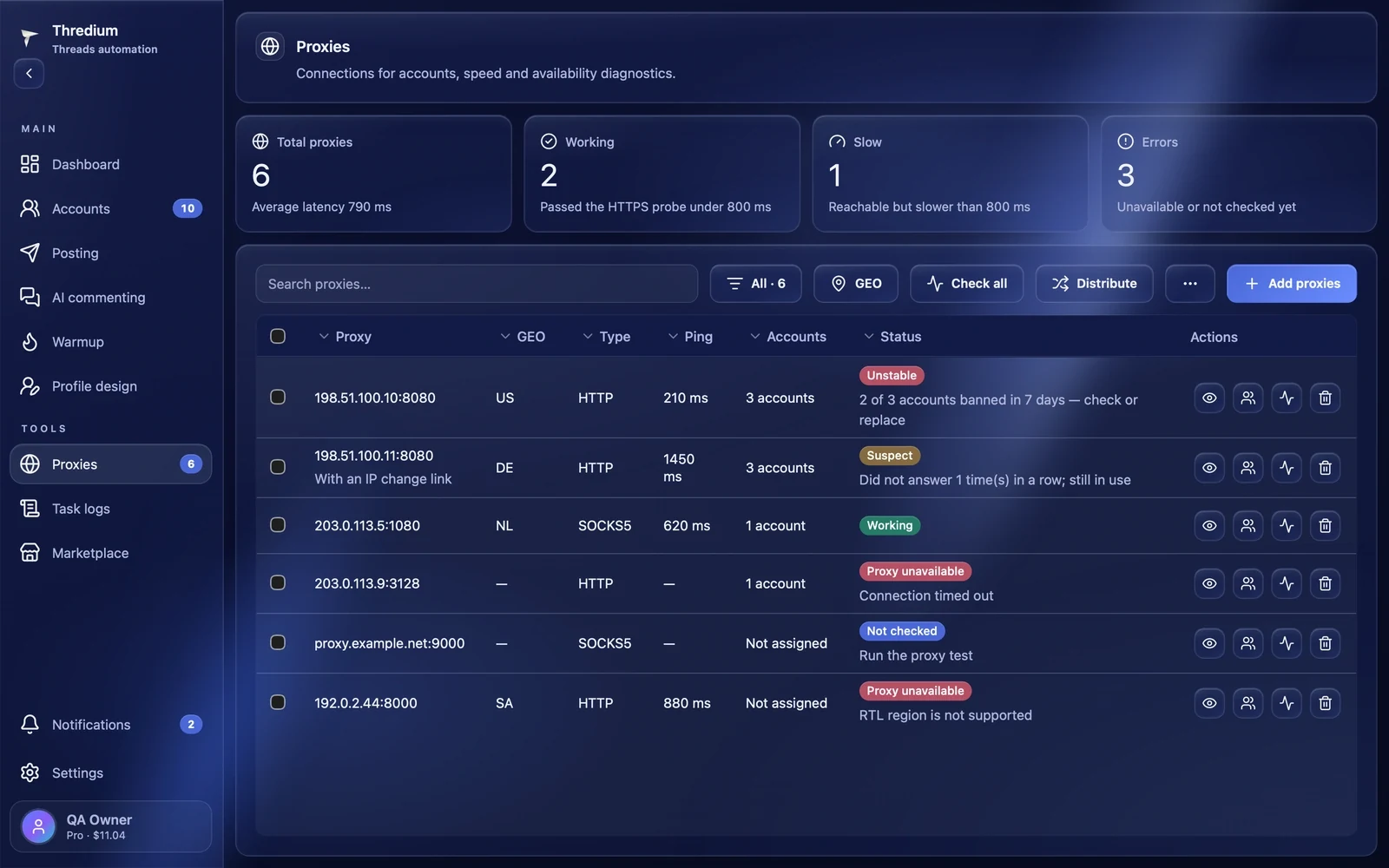
Summary
- Total proxies — how many proxies are added and the average latency of the last check;
- Working — passed the check faster than 800 ms;
- Slow — reachable but slower than 800 ms. They work, but pages load longer;
- Errors — unavailable or not checked yet.

Adding proxies
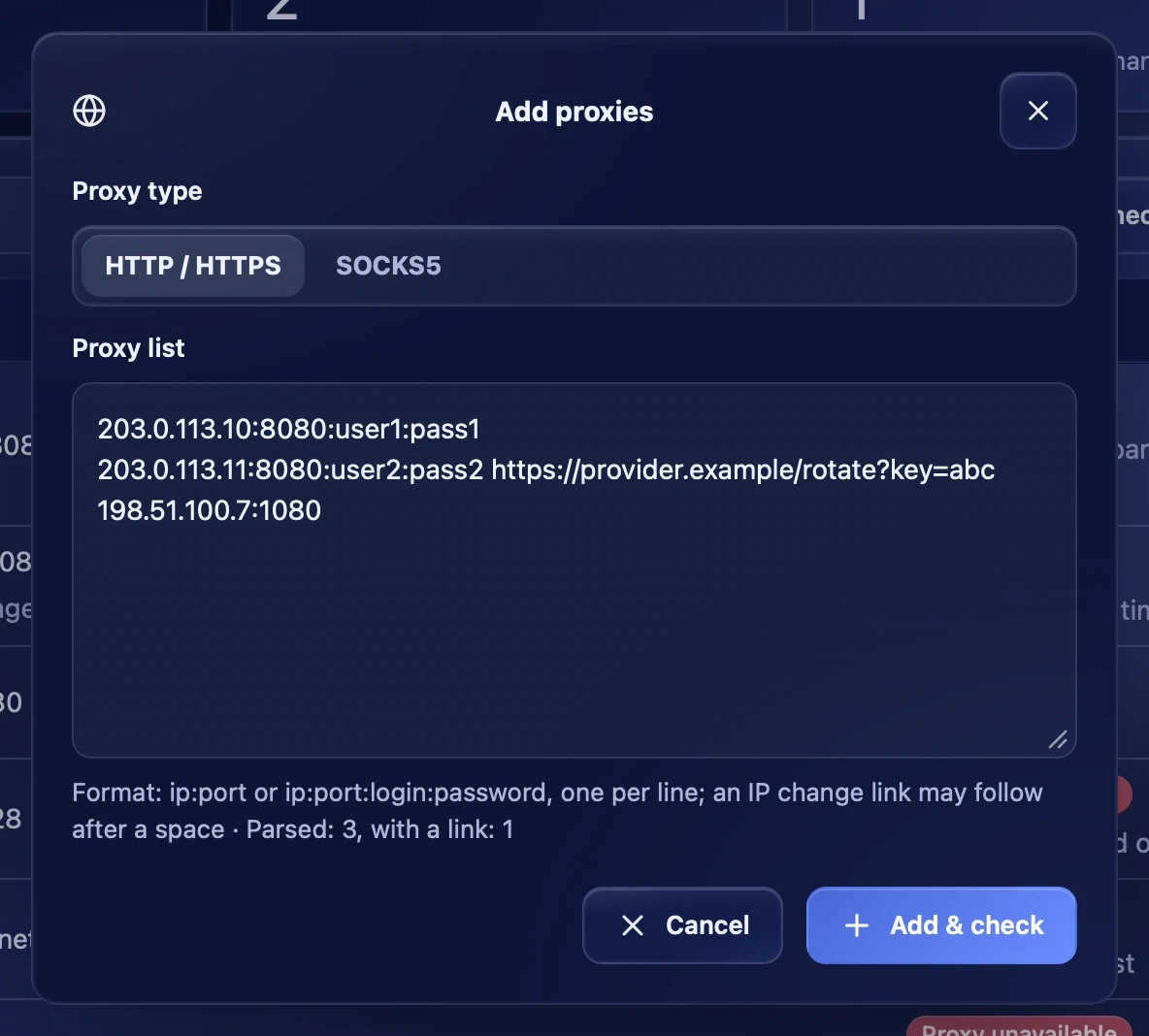
Press "Add proxies", choose the type — HTTP / HTTPS or SOCKS5 — and paste proxies one per line:
ip:port— a proxy without a password;ip:port:login:password— a proxy with a login and password;- after a space you can add the provider's IP change link — see below.
Under the field you see how many proxies were recognised and how many have a link. "Add & check" adds the proxies and checks them at once. Proxies that are already there are not added again.
Search, filters and actions
In the line above the table:
- Search proxies — by address, country or account;
- the status filter — "All", "Working", "Slow", "Errors";
- GEO — show the proxies of one country;
- Check all — check all proxies;
- Distribute — hand the proxies out to accounts;
- ⋯ → Delete failed — delete the proxies a check found not working. Proxies not checked yet are not included;
- Add proxies.


The proxy table
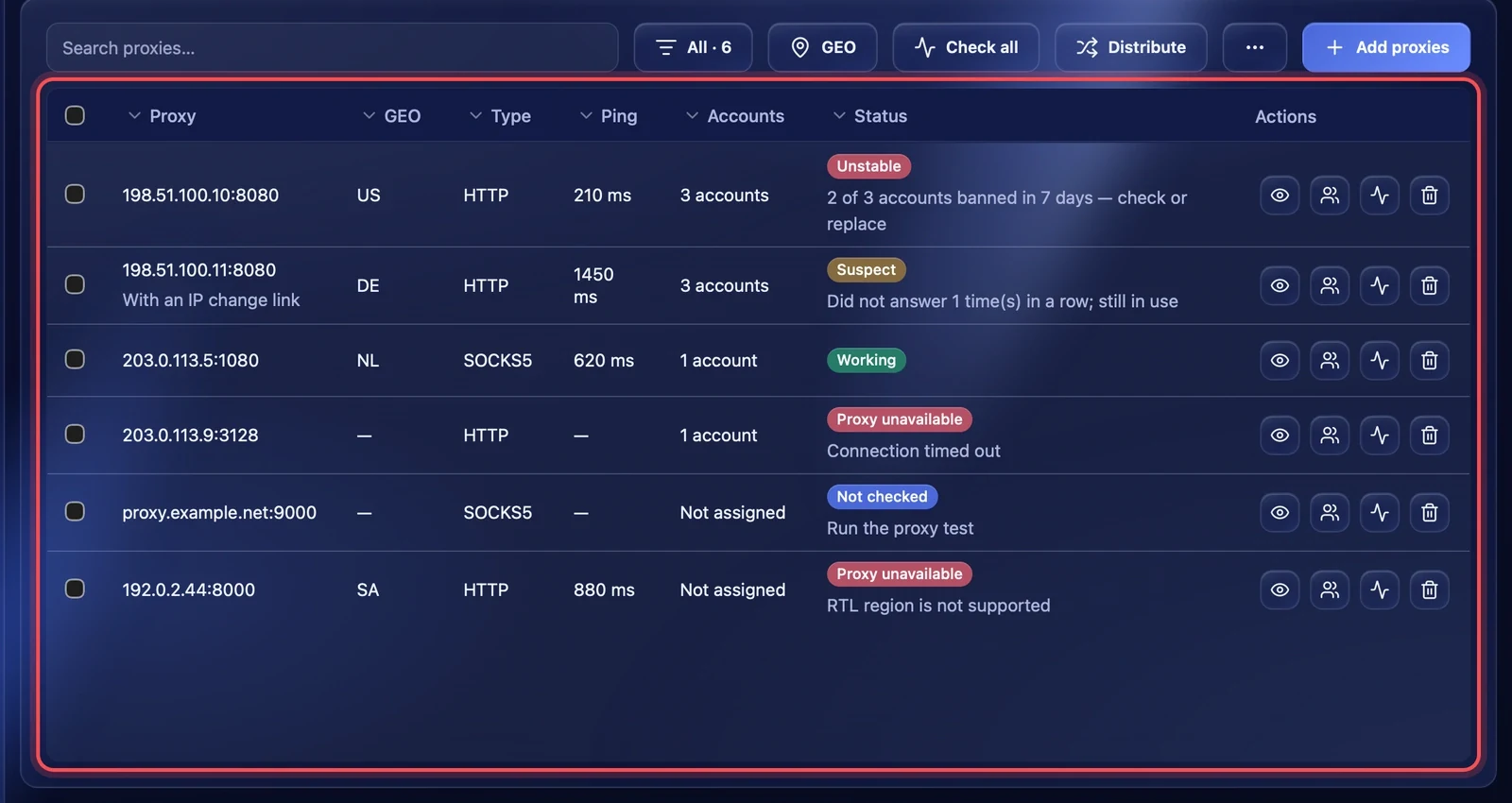
The table shows the proxy address, country, type, ping, how many accounts are on it and the status. Each row has four buttons on the right: proxy details, the accounts on this proxy, check and delete.
Proxy statuses
- Working — the proxy answers faster than 800 ms.
- Slow — answers, but slower than 800 ms.
- Suspect — the proxy did not answer several times in a row but is still in use. If it misses a few more times, it becomes failed.
- Unstable — most accounts on this proxy got a ban or a checkpoint in the last 7 days, for example "2 of 3 accounts banned in 7 days — check or replace". The proxy works, but it is worth checking or replacing.
- Not checked — the proxy has never been checked. Run a check.
- Proxy unavailable — the check failed. The reason is written under the status.
Reasons a proxy is unavailable:
- "Check proxy credentials" — wrong login or password;
- "Connection timed out" or "Connection failed" — the proxy does not answer;
- "Check address and protocol" — the address or the proxy type is wrong;
- "RTL region is not supported" — the proxy exits through a country with a right-to-left script. Replace such a proxy.
Checking
You can check all proxies ("Check all"), the selected ones ("Test selected") or one — with the button in its row. The app shows which proxies will be checked and, after "Start check", checks several at a time. The result reads "… working · … slow · … problems".
While the "Proxies" section is open, the app quietly checks the proxies again every 3 minutes.
Proxy details
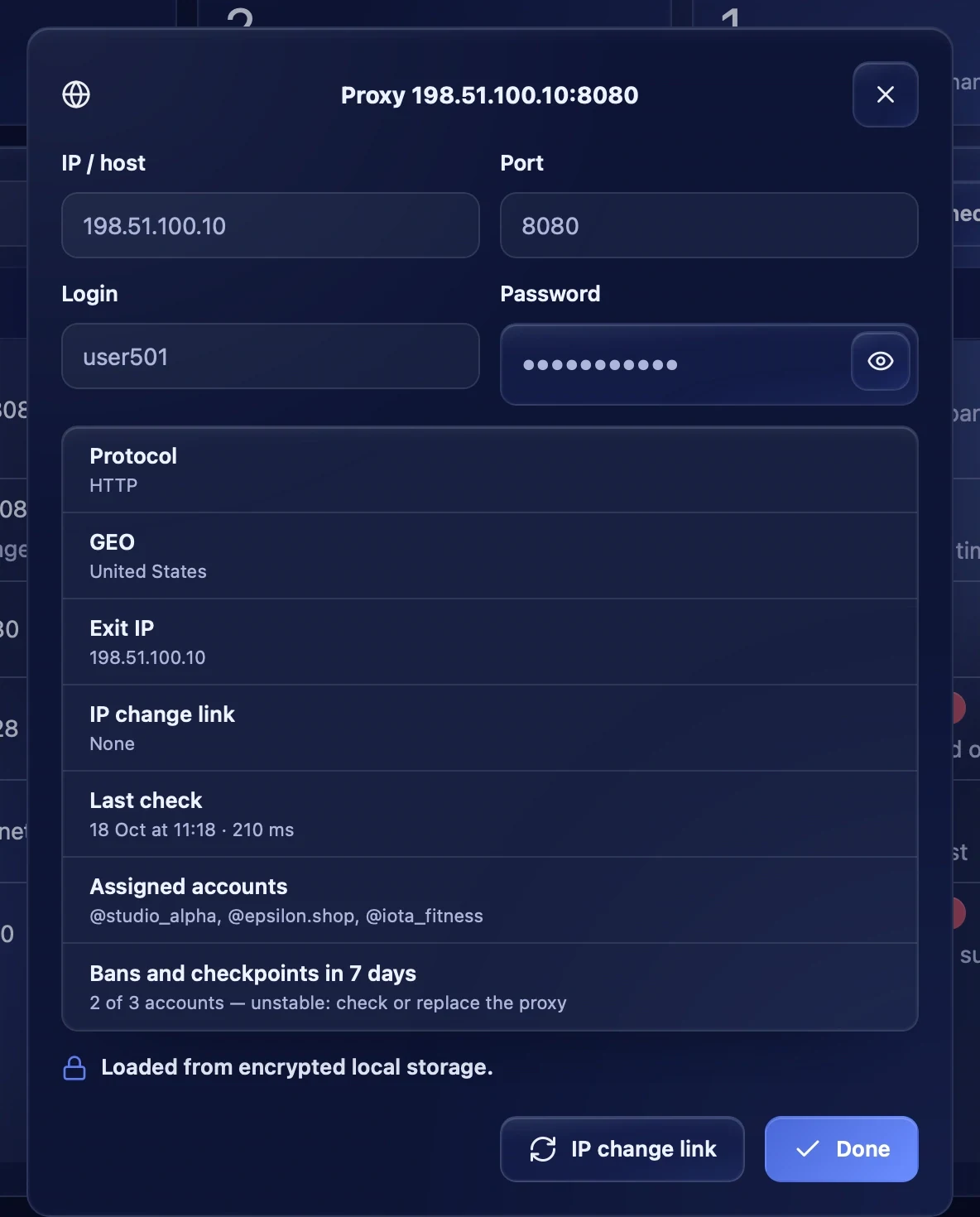
The eye button opens the proxy details: address, port, login and password (the eye button shows the password), protocol, country, exit IP, IP change link, last check, assigned accounts and the number of bans in 7 days. Proxy logins and passwords are stored on the computer encrypted.
IP change link
Mobile and rotating proxy providers usually give a link that changes the IP. Add it when importing, after a space following the proxy, or in the proxy details with the "IP change link" button. The IP changes when a browser starts on this proxy alone, at most once a minute. To remove the link, leave the field empty and save.
Handing proxies out to accounts
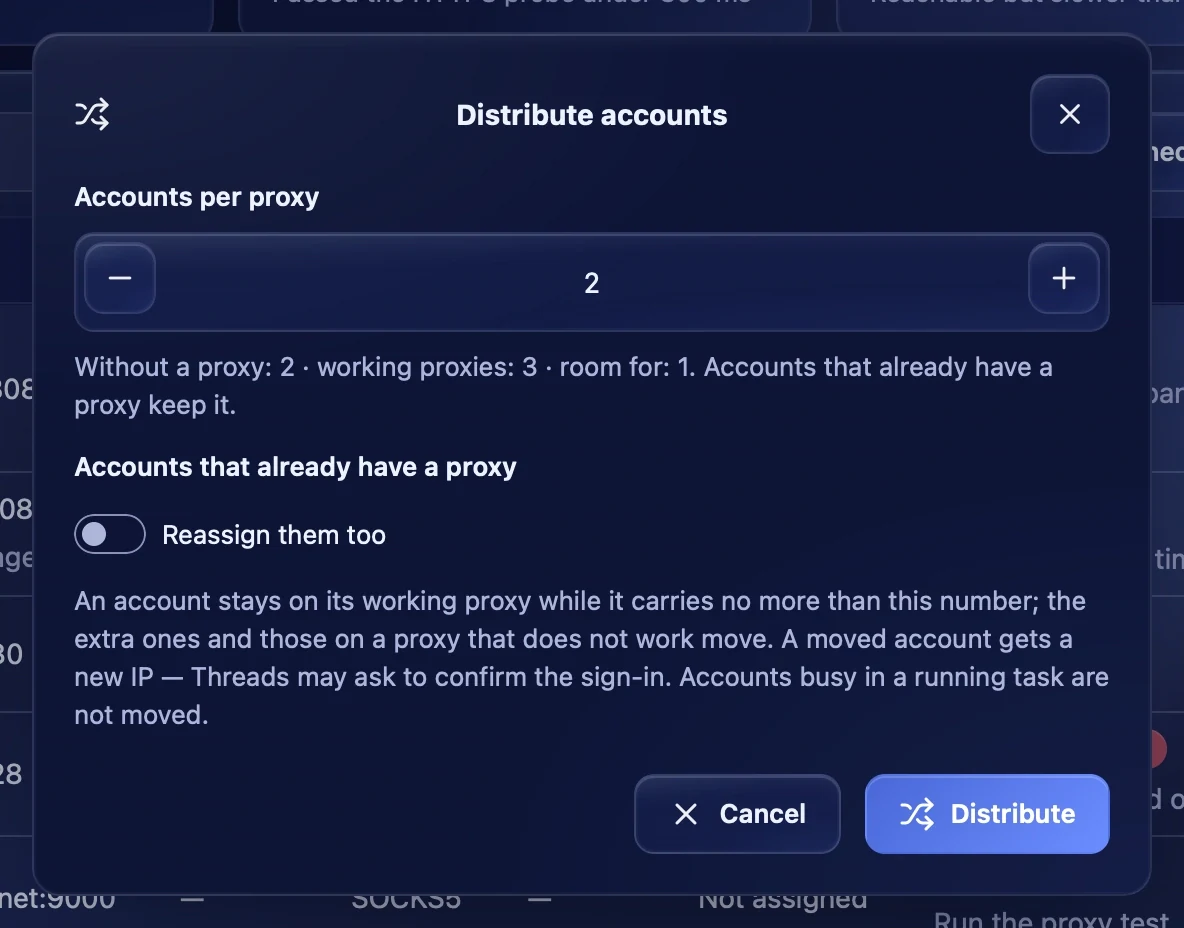
"Distribute" hands the working proxies out to accounts. If proxies are ticked in the table, accounts go only onto them.
- Accounts per proxy — how many accounts one proxy may carry. Under the field you see how many accounts have no proxy and how many fit.
- Reassign them too — by default only accounts without a proxy get one. With the switch on, the app redistributes those that already have a proxy too, moving as few accounts as possible: the extra ones and those whose proxy does not work move.
An account that moves to another proxy gets a new IP — Threads may ask to confirm the sign-in. Accounts busy in a running task are not touched.
Deleting proxies
Delete a proxy with the button in its row, with "Delete selected" or with "⋯" → "Delete failed". If accounts are on the proxy, the app offers:
- Redistribute accounts — move them onto working proxies;
- Delete without transfer — the accounts are left without a proxy and cannot work until they get another one. They will not work from your computer's IP.
Deleting cannot be undone.

Recommendations
- Keep 1–2 accounts on one proxy.
- Residential and mobile proxies suit Threads better than datacenter ones.
- If bans began on a proxy and it became "Unstable", replace it and hand its accounts out to others.
- If proxies suddenly become unavailable all at once with a credentials error, first check whether the provider itself works.