
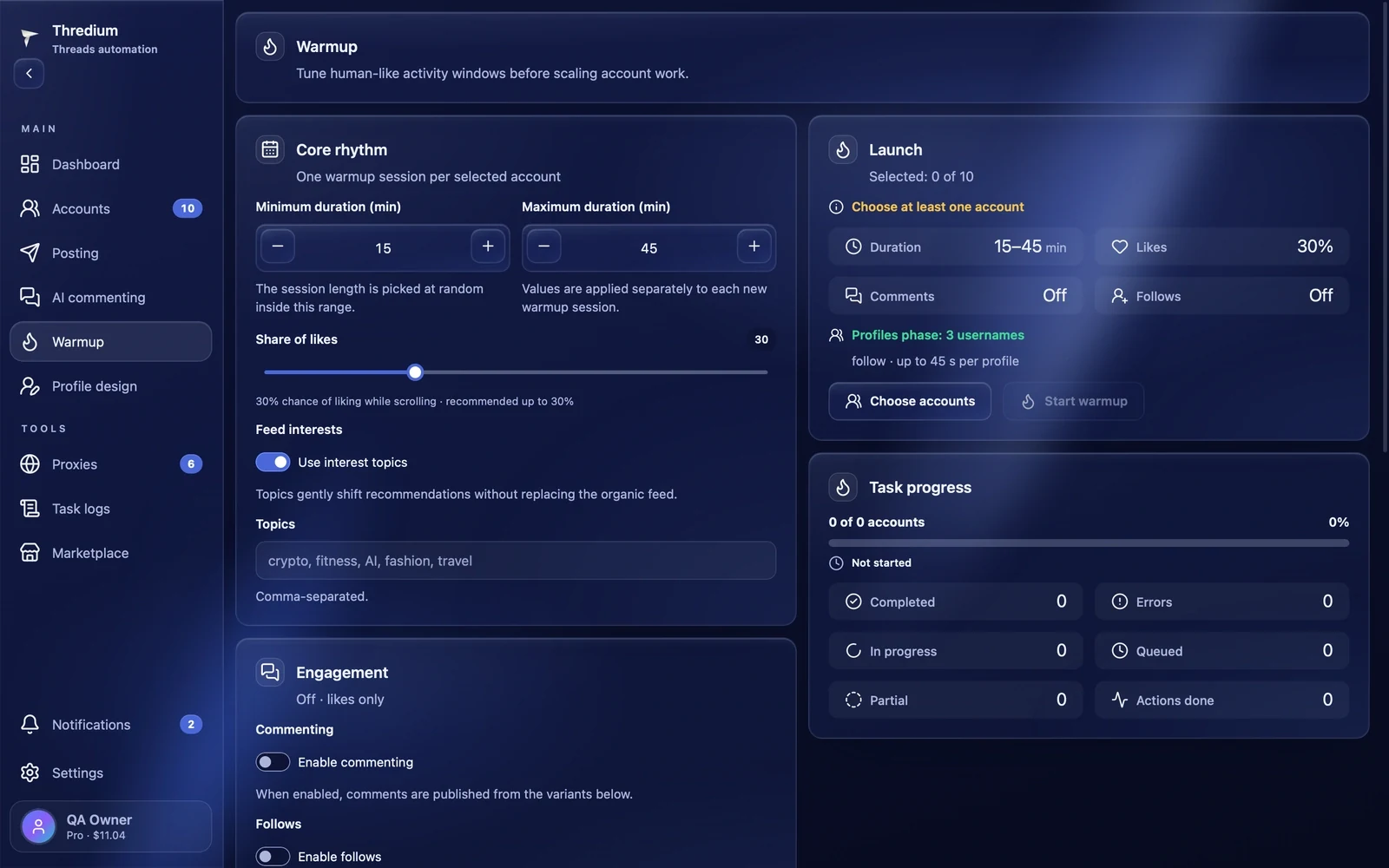
Warmup teaches Threads that a real person uses the account. The account opens Threads in its own browser with its own proxy, scrolls the feed and likes posts now and then. If you like, it also follows authors and leaves comments from your variants. At the end of the session the account can visit particular profiles. Warm up new and bought accounts before running posting and AI commenting on them.
Before you start
The "Start warmup" button becomes active when:
- at least one account is added and signed in — the "Accounts" section;
- the browser setup is finished, if the app asks for it — "Settings".
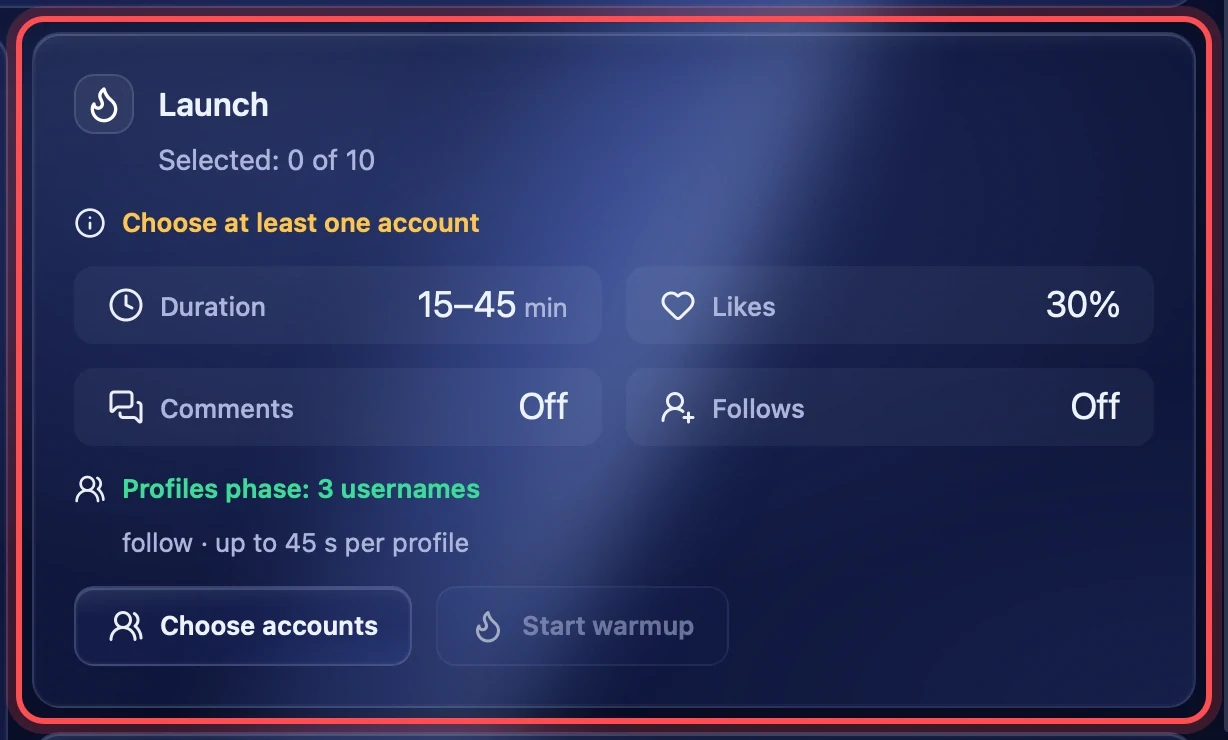
If something is missing, the "Launch" block says what in yellow, for example "Choose at least one account".
Core rhythm
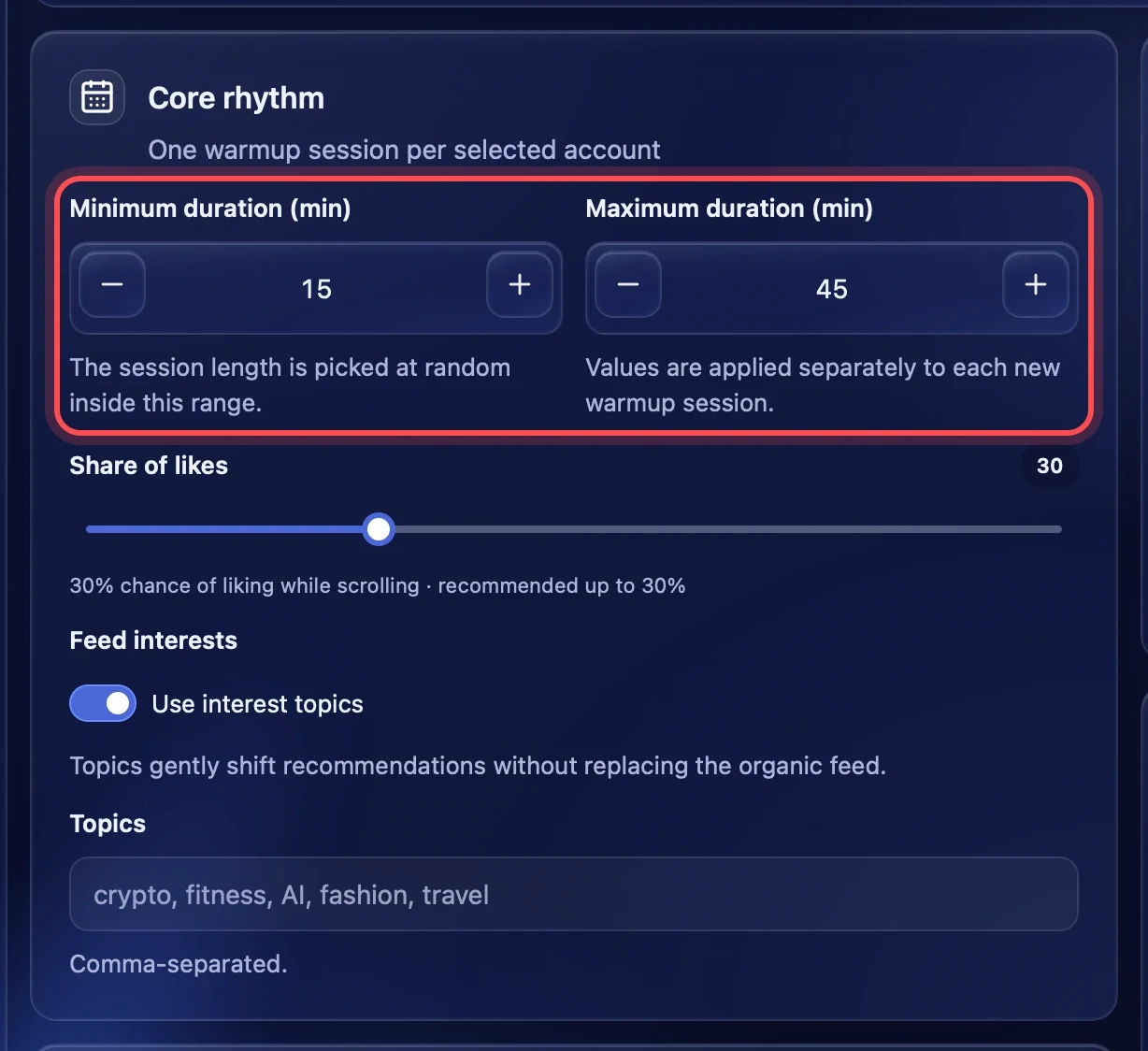
Minimum and maximum duration
How many minutes one warmup session lasts. Each account gets a random time within this range, so accounts do not finish together. The minimum is 5 to 180 minutes, the maximum up to 300 minutes; 15 to 45 by default. The minimum cannot be above the maximum.
Share of likes
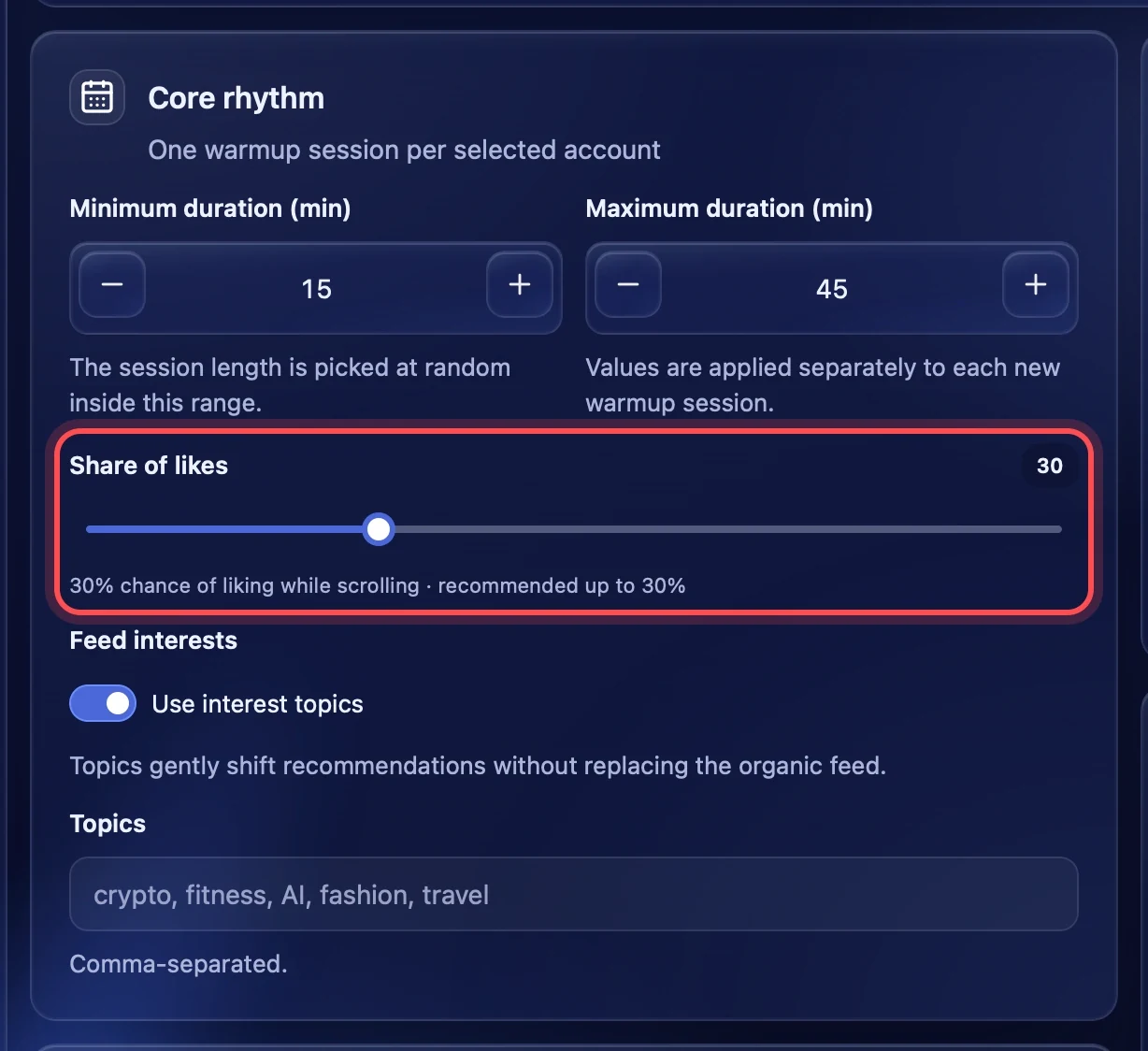
The chance that the account likes a post while scrolling the feed. At 30 % it likes about every third post. Up to 30 % is recommended. Above 30 % a yellow warning appears, above 75 % a red one: that many likes in a row looks like a bot. At 0 % the account only scrolls the feed.
Feed interests
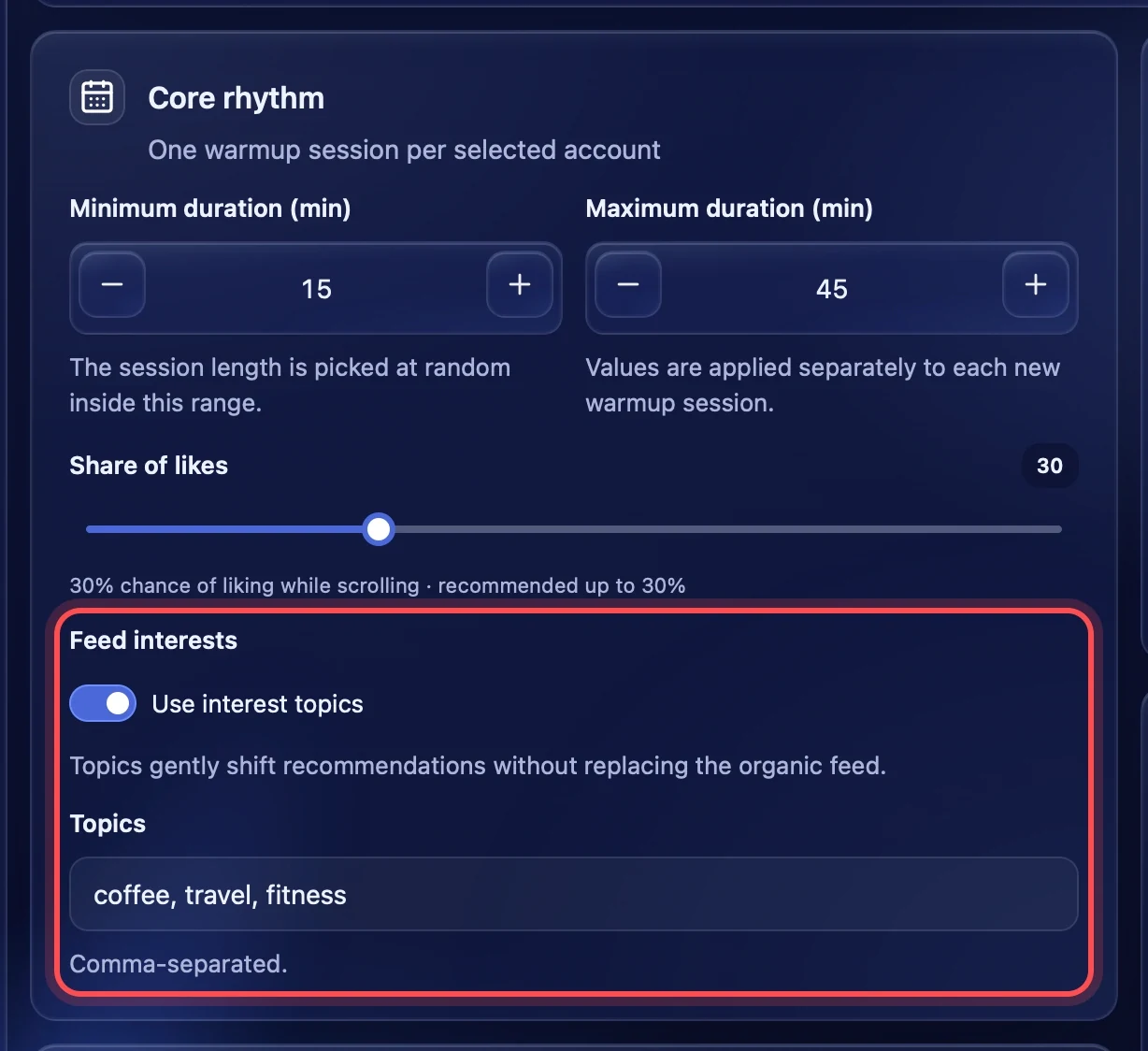
Turn on "Use interest topics" and list topics separated by commas — for example "coffee, travel, fitness". The account searches these topics in Threads and scrolls the posts it finds, so the recommendations gradually shift the way you need. Up to 4 topics are used per session. The last part of the session, about 20 % of the time, the account still spends in its ordinary feed.
With the switch off, the account scrolls only its own feed.
Engagement
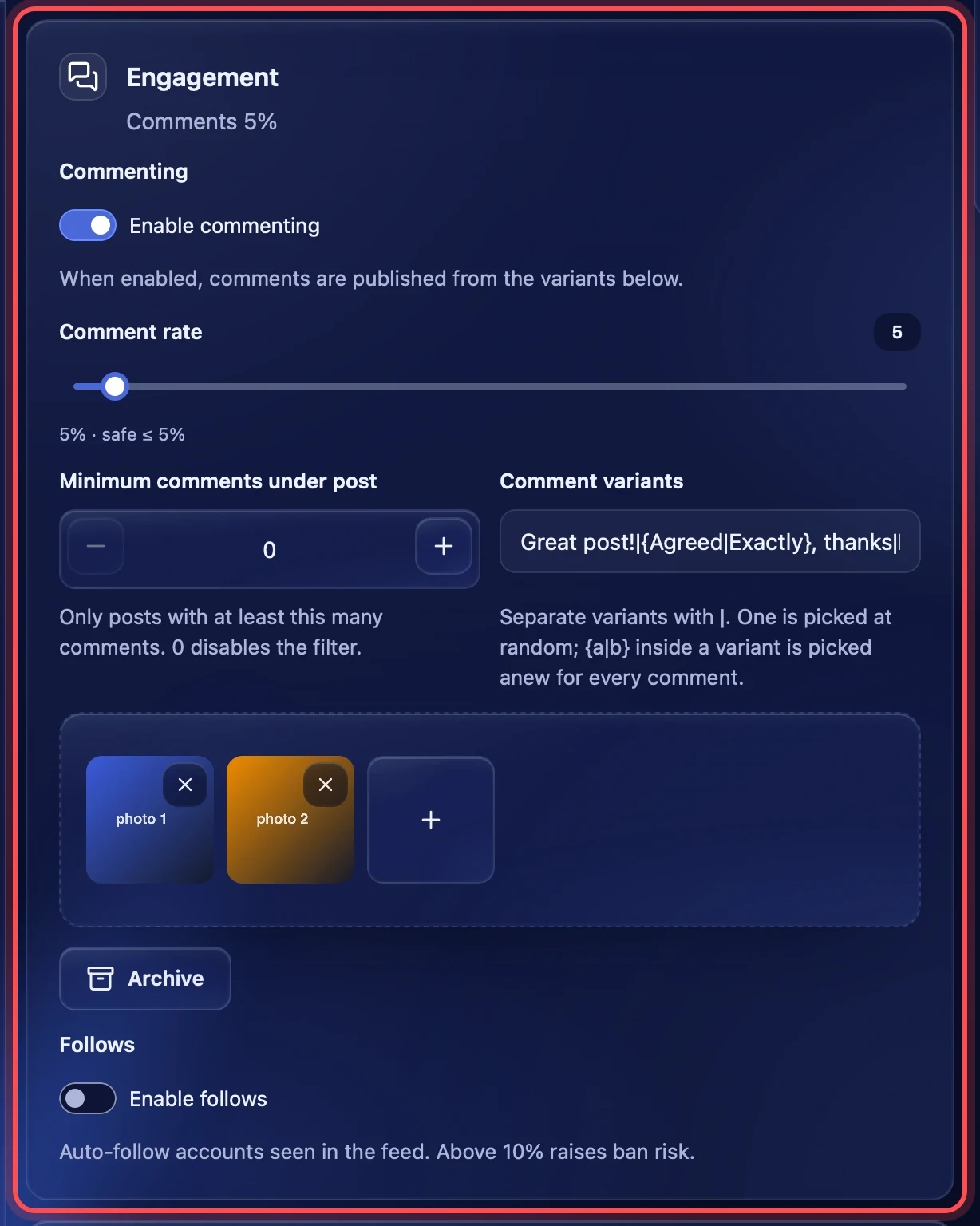
By default warmup only scrolls the feed and likes. The "Engagement" block adds comments and follows. The block subtitle shows what is on, for example "Comments 5%".
Commenting
Turn on "Enable commenting", and under part of the posts the account leaves a comment from your variants. No AI writes here: for comments written by AI there is a separate module, "AI commenting".
- Comment rate — the share of posts that get a comment. Up to 5 % is safe. Above 5 % a yellow warning appears, above 15 % a red one.
- Minimum comments under post — comment only on posts that already have at least this many comments. 0 turns the filter off.
- Comment variants — texts separated by a vertical bar:
Great post!|Interesting. One variant is picked at random for every comment. A variant may contain braces{Agreed|Exactly}: their variant is also picked anew for every comment. Warmup with comments does not start without at least one variant. - Comment photos — add JPG, PNG or WEBP photos if you like. Each comment gets one random photo of those added. "Archive" takes photos you have used before.
Follows
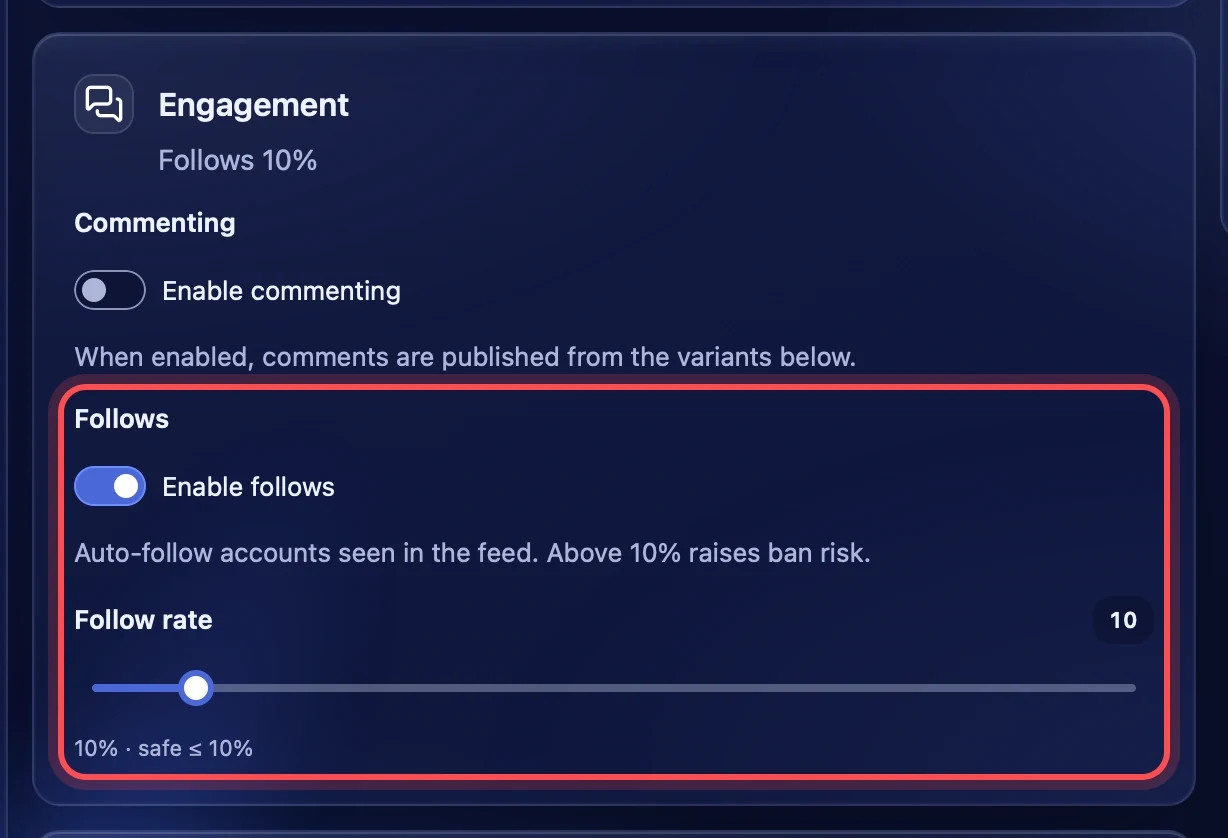
Turn on "Enable follows", and the account follows authors of posts from the feed. "Follow rate" — the share of authors. Up to 10 % is safe. Above 10 % a yellow warning appears, above 25 % a red one: frequent follows raise the risk of a ban.
Profiles by username
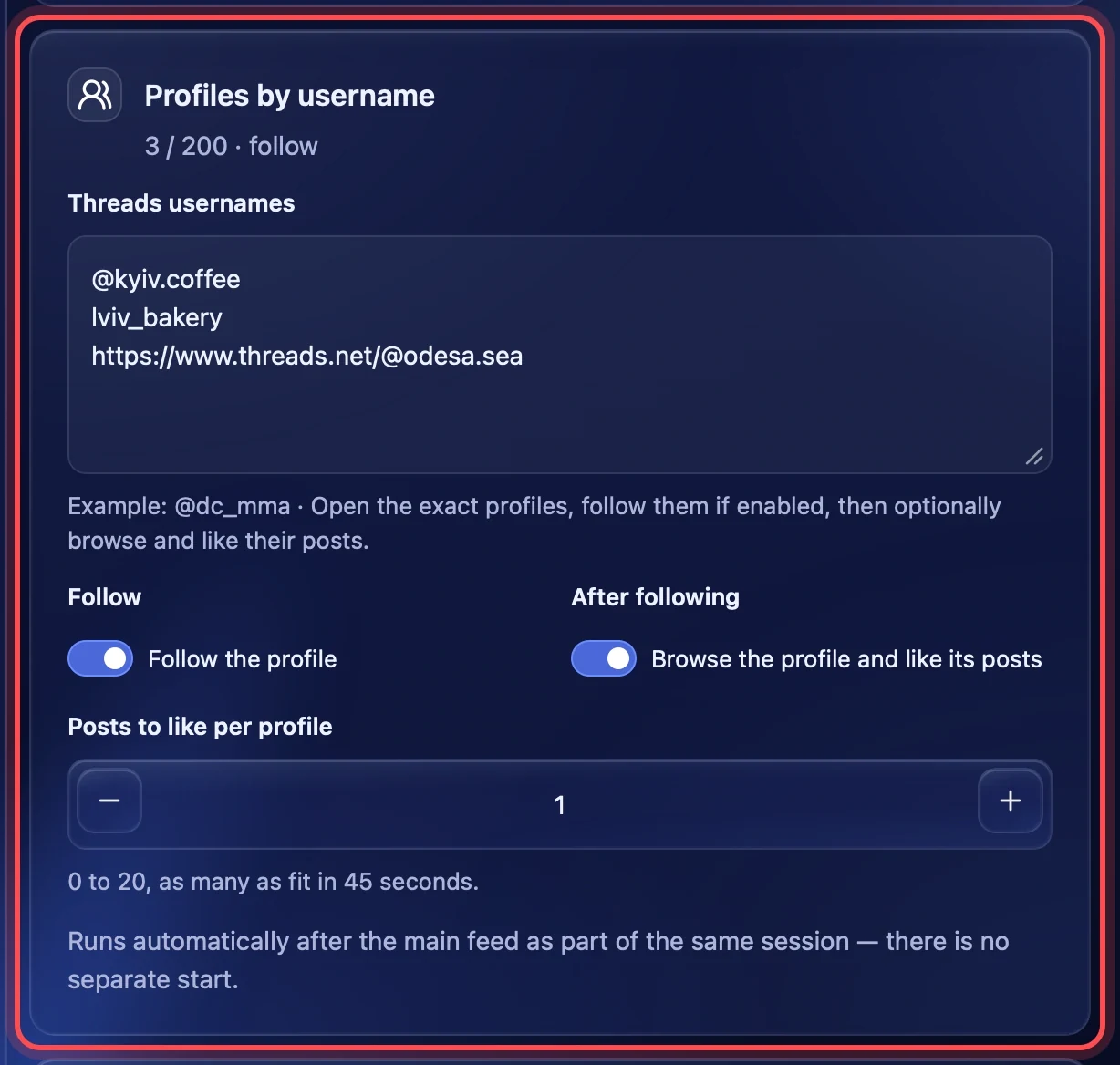
Use this block when the accounts should visit particular profiles — for example your main account or partner accounts. It happens at the end of the same session, after the feed. There is no separate start.
Threads usernames
Enter usernames one per line. You can paste them separated by commas, with @ or as a profile link — the app takes the name out itself. Repeats are removed. The block subtitle shows how many usernames were recognised — up to 200 per task. If a line does not look like a username, the field turns red and the task does not start until you fix it.
A task holds up to 1000 profile visits in total: the number of accounts × the number of usernames.
Follow and browse
- Follow the profile — the account follows every profile on the list.
- Browse the profile and like its posts — the account scrolls the profile and likes its posts. With following off, the profile is only looked through.
- Posts to like per profile — from 0 to 20. One profile gets up to 45 seconds, so there are as many likes as the account manages in that time.
Launch
Choosing accounts
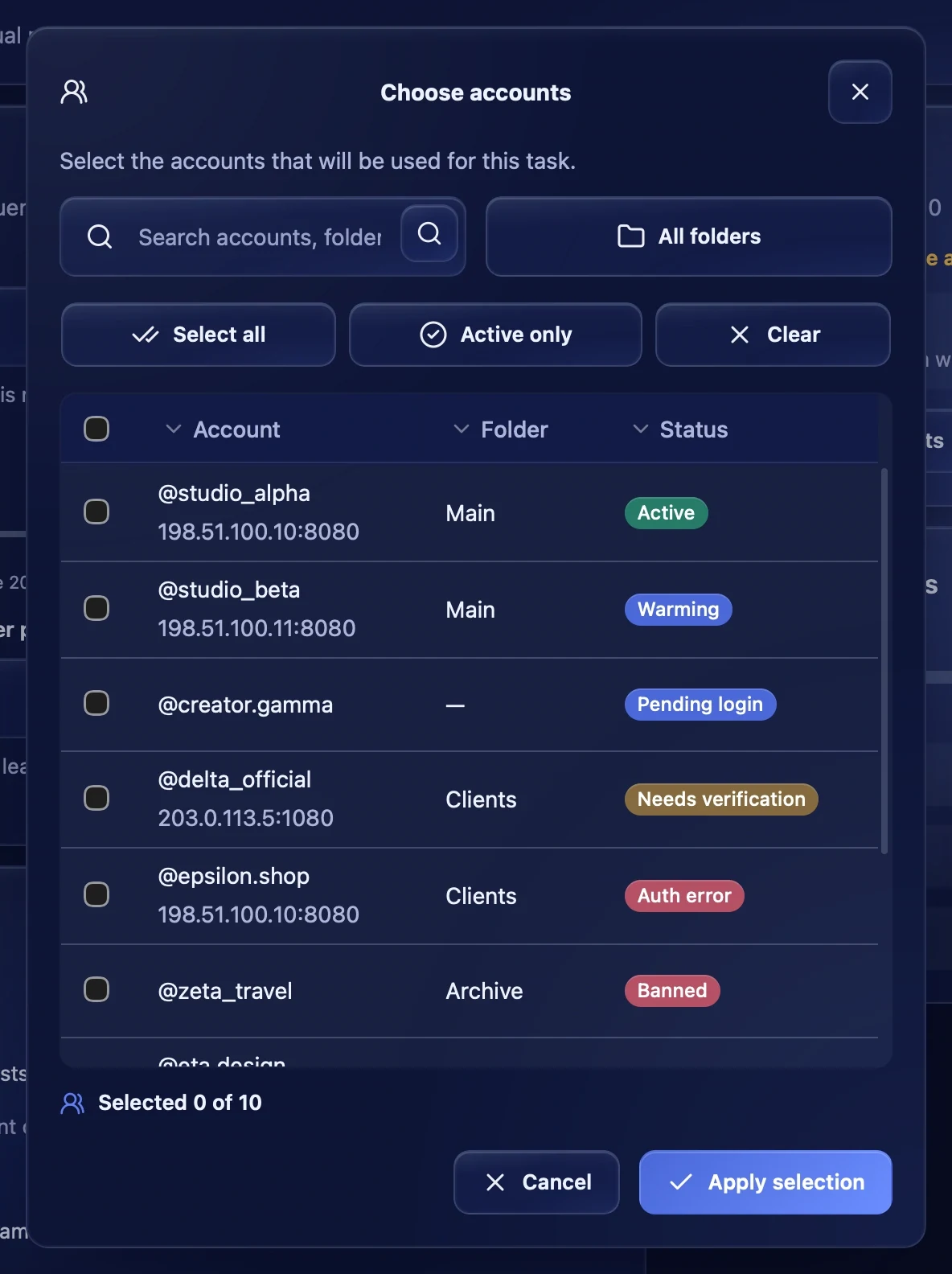
Press "Choose accounts". In the window you can search by account, pick a folder, tick all or only active ones. The table shows each account's status: it is best to run only accounts with the "Active" status.
Start and stop
The "Launch" block sums up the scenario: duration, likes, comments and follows. If a share is above the safe range, the tile icon turns yellow or red. The "Profiles phase" line shows how many usernames are on the list. "Start warmup" starts the task — one session per chosen account. While it runs, the "Stop warmup" button takes its place.
To start warmup later or repeat it on weekdays, use the "Schedule" block on the same page — see the "Schedule" article.
Task progress
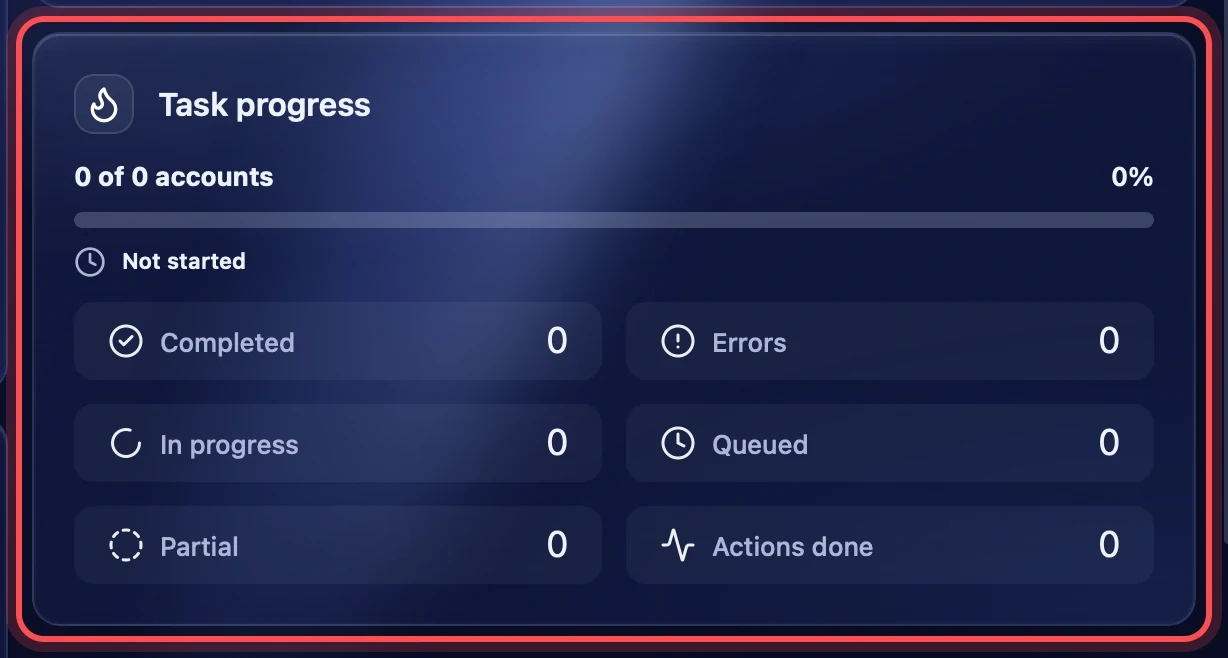
While the task runs, the "Task progress" block shows how many accounts have finished and the counters: "Completed", "Errors", "In progress", "Queued", "Partial" and "Actions done". "Actions done" counts likes, follows and comments together. The detailed course for each account and the final report are in "Task logs".
Recommendations
- In the first days, warm up new accounts with likes only: 15–45 minutes, a share of likes up to 30 %.
- Turn on comments and follows later and keep them within the safe range — up to 5 % and up to 10 %.
- Add 3–5 topics close to what the account will post about: the feed adapts to them.
- Run warmup regularly through "Schedule" rather than in one long session.
- Do not run warmup on accounts with the "Needs verification" or "Auth error" status: sign in to them again first.