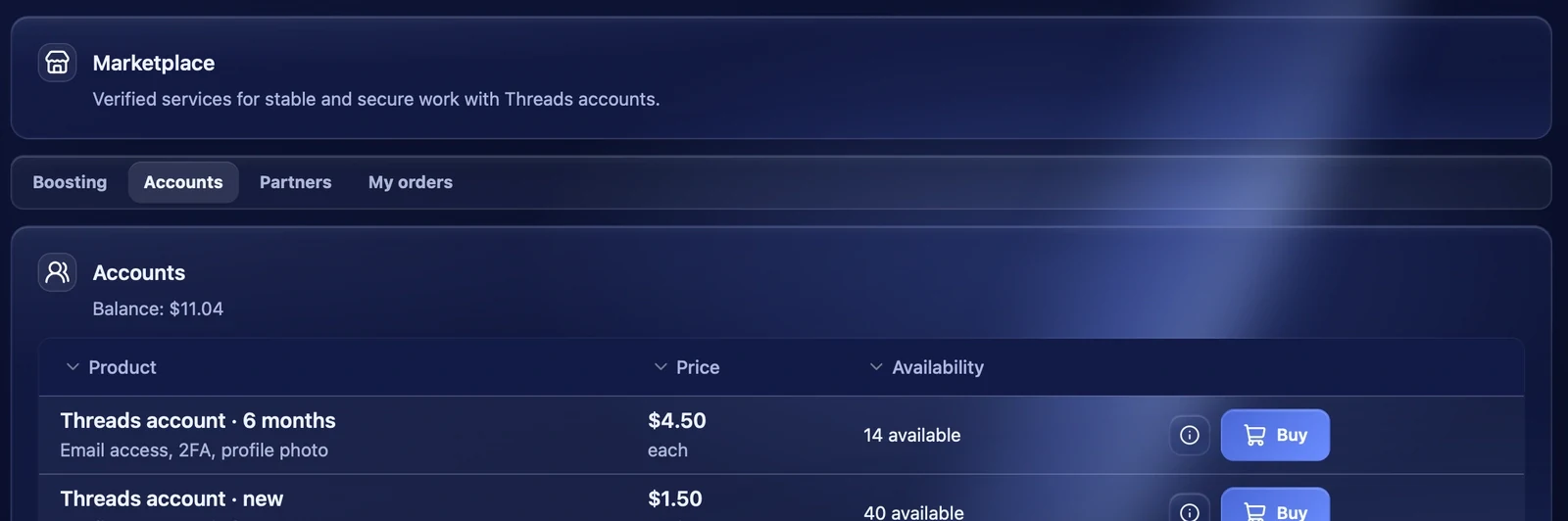
The "Accounts" tab of the "Marketplace" section sells ready Threads accounts from the Thredium team. Accounts in stock are delivered right after payment, the others are made to order. The "Partners" tab lists verified proxy and account services with discounts for Thredium users.
Choosing and buying
For each product the table shows the name and description, the price each and the availability — "14 available" or "Made to order". The "i" button opens the product description.
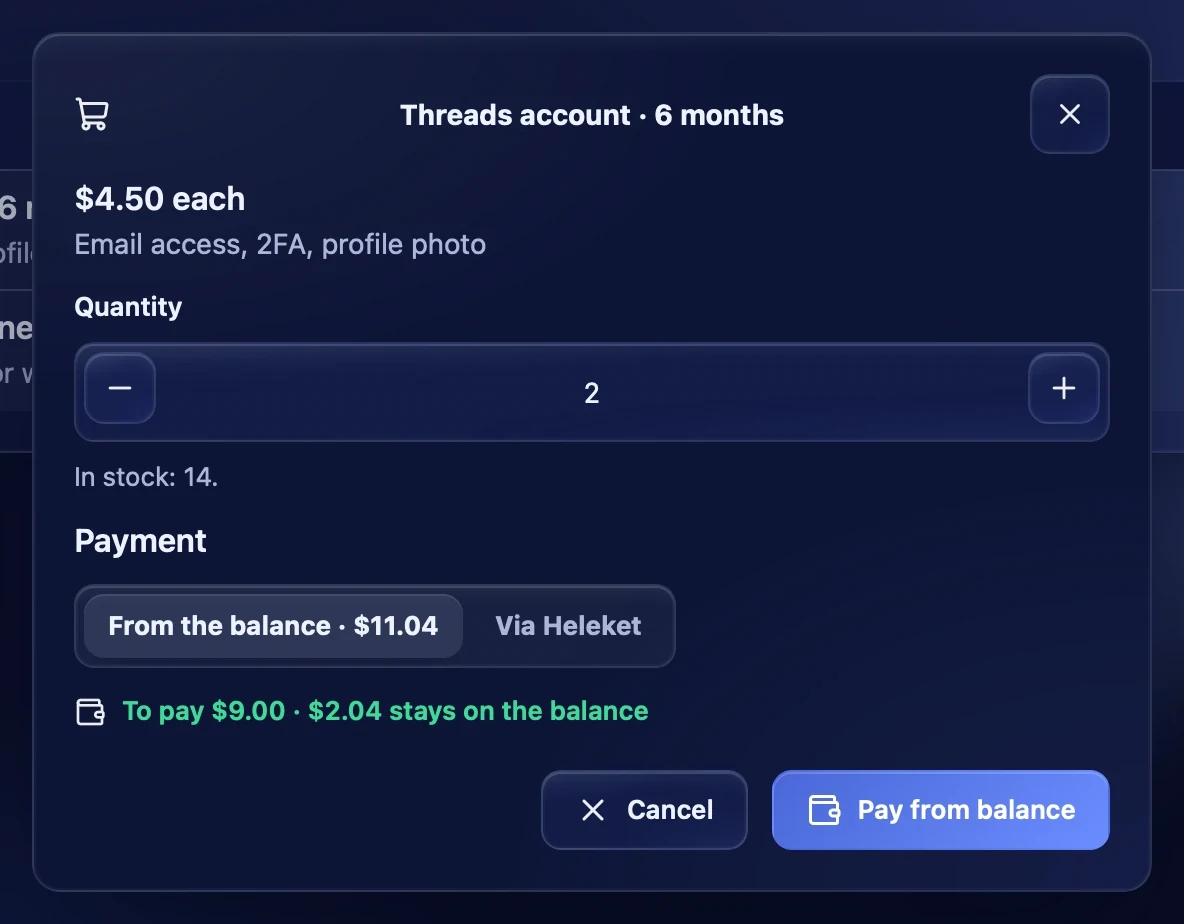
Press "Buy", set the quantity and the way to pay:
- From the balance — the amount is taken from your Thredium balance. You see how much is to pay and how much stays;
- Via Heleket — the Heleket payment page opens.
The Thredium server counts the total. If there is not enough on the balance, the app offers to top it up by the missing amount and then brings you back to the order.
Getting the accounts
When the order is paid and delivered, it appears in the "My orders" tab with the "Delivered" status and the "Get delivery" button — it shows the data of the bought accounts. If the product was out of stock, the status is "Paid · waiting for stock" — the accounts are delivered when they arrive.
Add the received accounts in the "Accounts" section with "Add accounts" in the login:pass or login:pass:2FA_SECRET format.
Partners
The "Partners" tab is a catalogue of proxy and account services checked by the Thredium team: geography, connection stability and compatibility. Each partner has a description, a price, features and, if there is one, a promo code. "Visit site" opens the partner's site in the browser. A purchase from a partner happens on its site and is not linked to the Thredium balance.
If the partner catalogue did not load, the app says there is no connection to the Thredium server and offers to try again.
Recommendations
- Right after buying, sign in to the accounts and check them — the "Accounts" section, "Check selected".
- Give the bought accounts their own proxies before the first sign-in.
- Warm up new accounts before posting.