
The "Boosting" tab of the "Marketplace" section orders likes, followers, reposts, comments and views for Threads posts and profiles. An order is paid from your Thredium balance or directly through Heleket and runs by itself. Its progress is in the "My orders" tab.
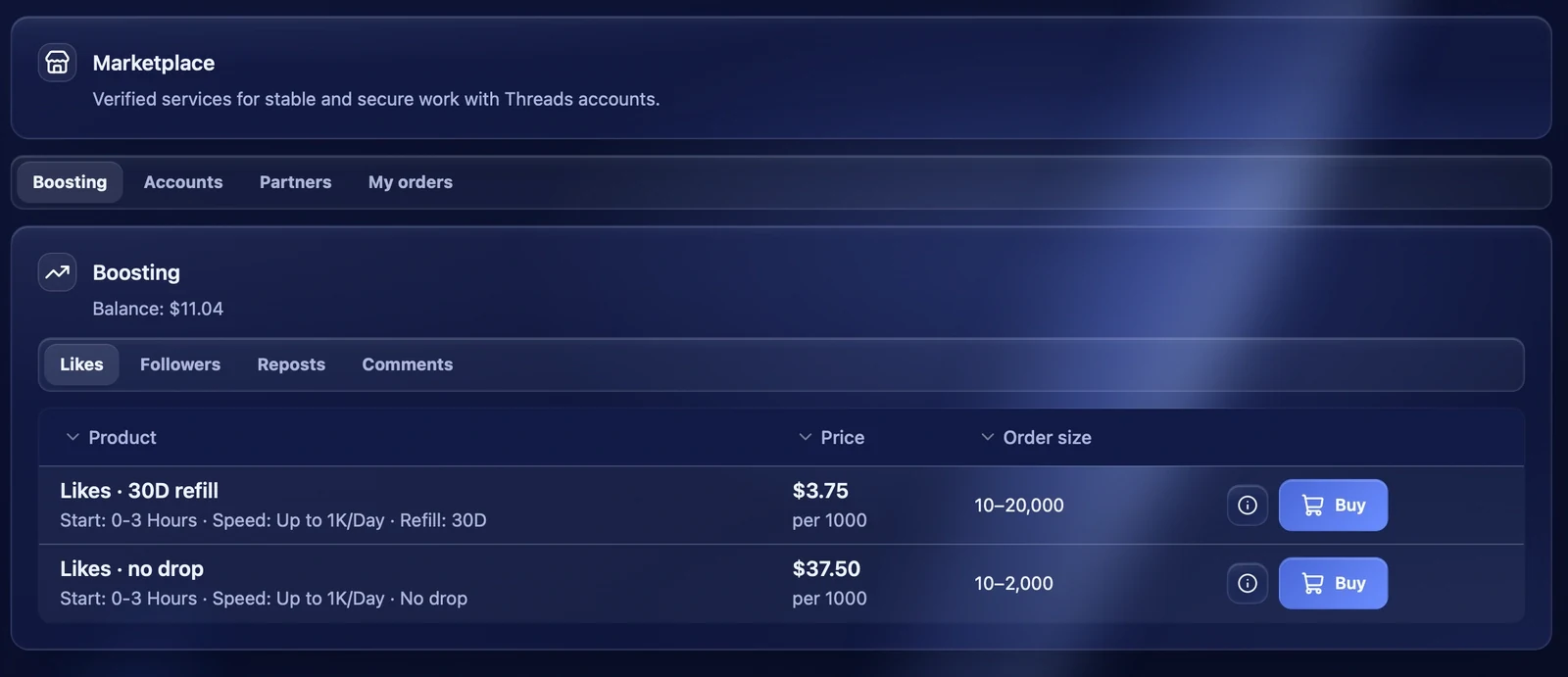
Choosing a service
At the top are the kinds of services: "Likes", "Followers", "Reposts", "Comments", "Views". For each service the table shows:
- the name and the terms — when it starts, how fast it goes and whether there is a refill guarantee;
- the price — per 1000;
- the order size — the smallest and largest amount per link.
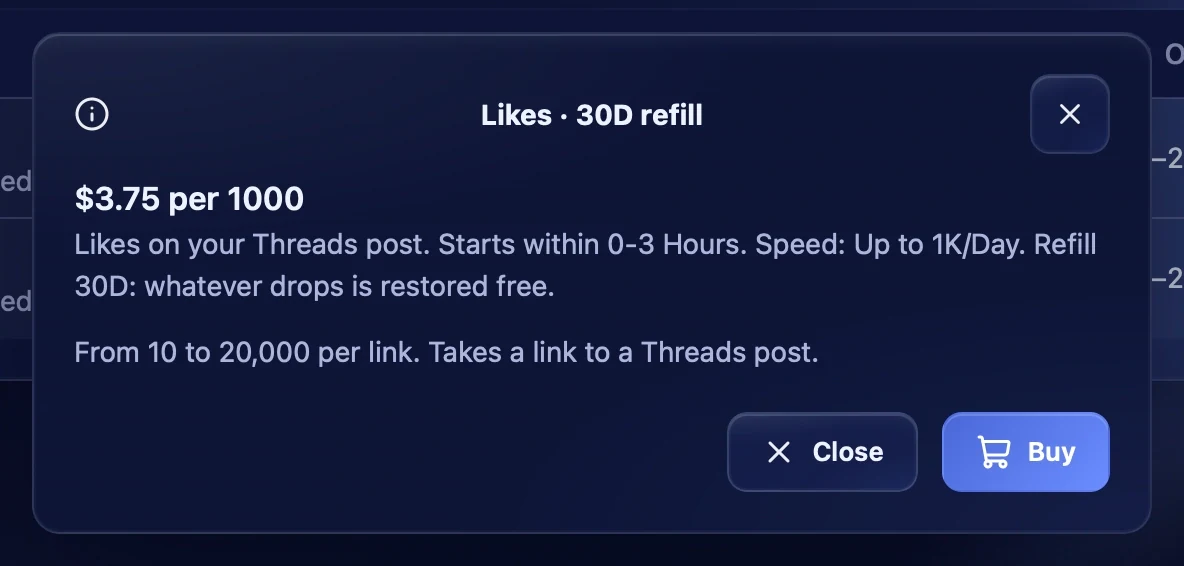
The "i" button next to "Buy" opens the service description: what it is, the terms, the size and what link it needs — to a post or a profile.
Placing an order
Links
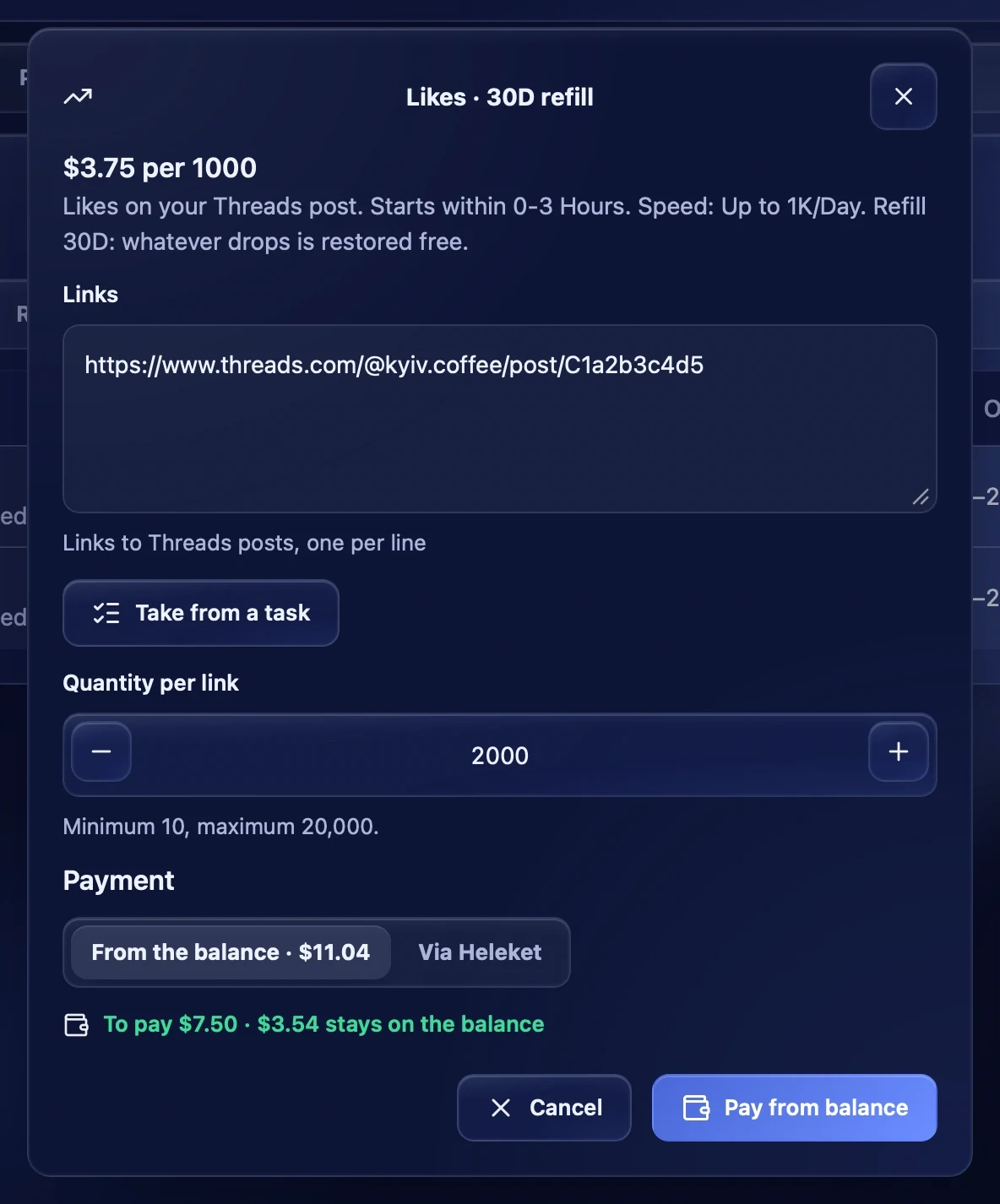
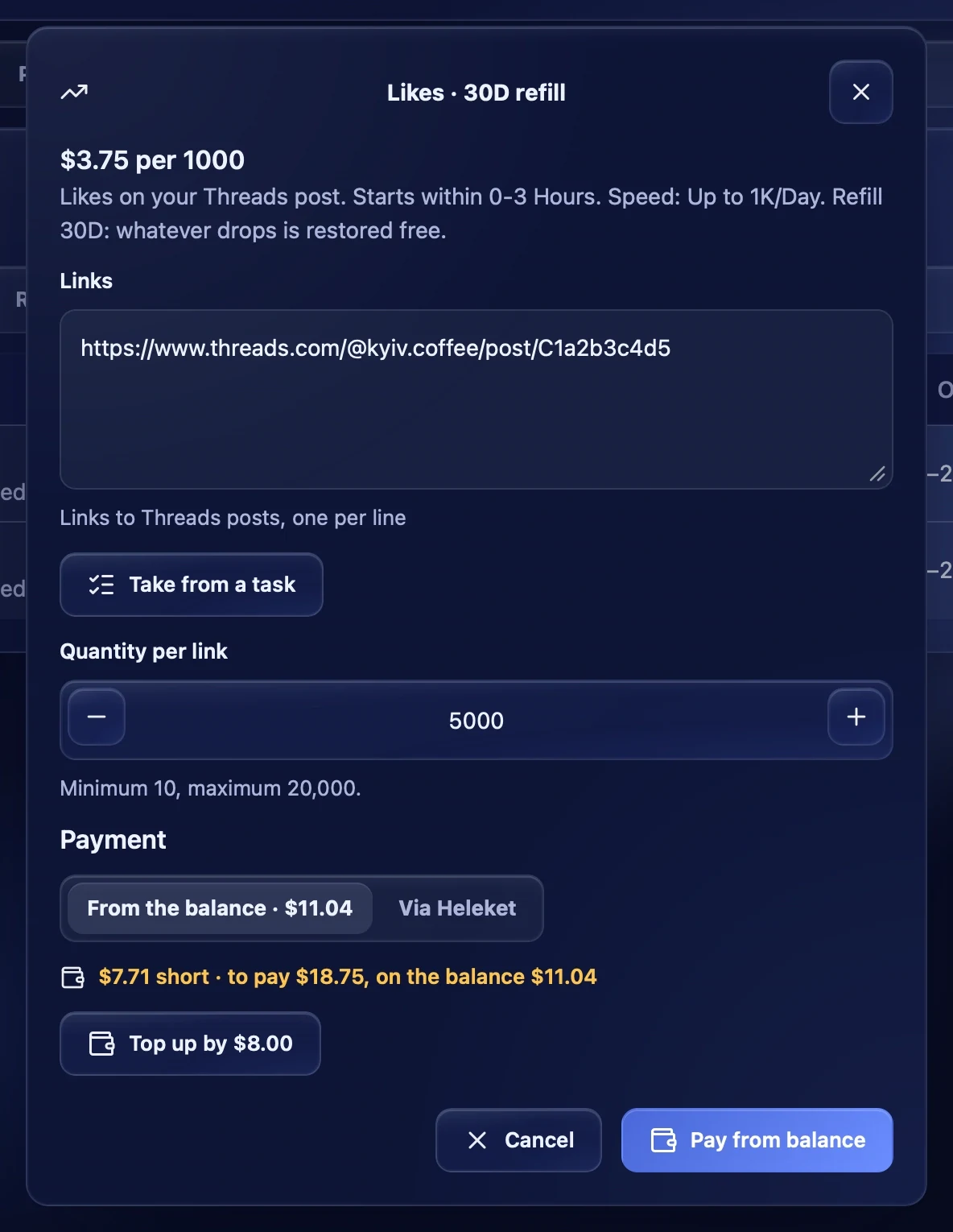
Press "Buy" and paste links one per line — to Threads posts or profiles, whichever the service needs. If a link is of the wrong kind, a warning appears under the field, for example "1 link(s) are not post links".
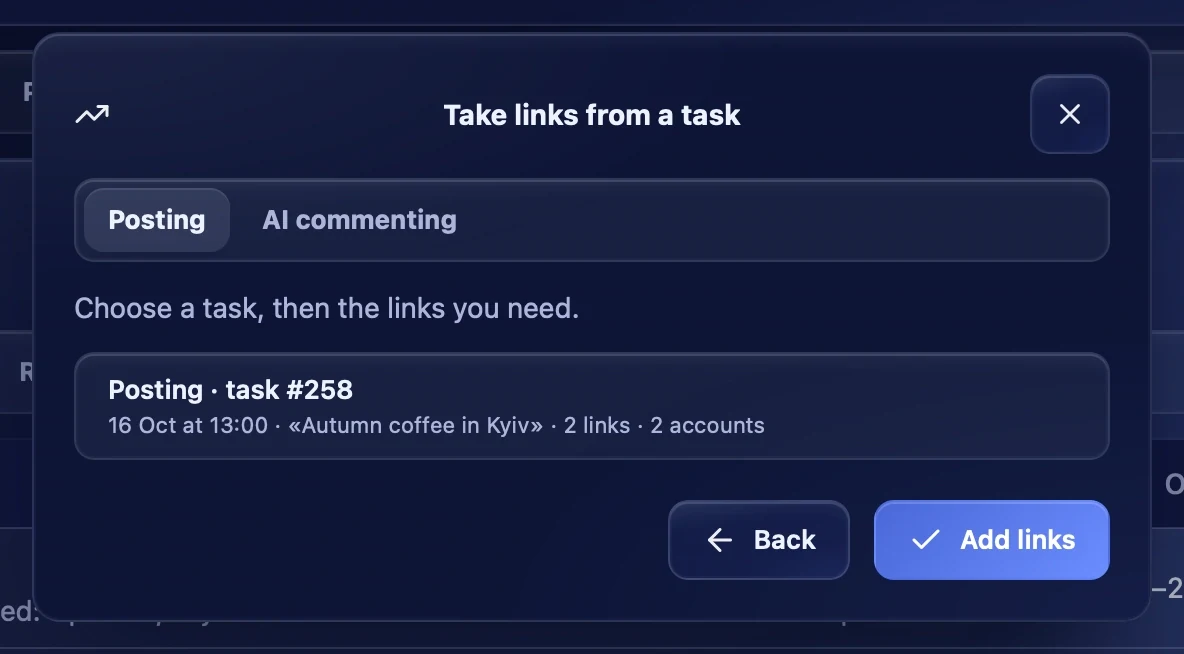
"Take from a task" fills in links from your tasks: links from posting and AI commenting tasks or the profiles of your accounts. Choose a task, tick the links you need and press "Add links".
Quantity
Quantity per link — how many likes, followers or views each link gets, within the service's minimum and maximum.
For comments, enter the comment texts instead of a quantity — one per line. The same comments go to every link. "Write with AI" writes the comments itself: describe in "What the post is about (for AI)" what the post is about — a few words or the post text.
Payment
Choose how to pay:
- From the balance — the amount is taken from your Thredium balance. Under the choice you see how much is to pay and how much stays on the balance.
- Via Heleket — after "Go to payment" the Heleket payment page opens. The order starts by itself once the payment is confirmed.
The Thredium server always counts the total and counts it again on every change. With several links, each link becomes a separate order, and they can be paid from the balance only.
Not enough on the balance
If the balance is lower than needed, the app says how much is missing and offers a "Top up by …" button. After the top-up the "Payment confirmed" window has a "Back to the order" button — the order opens with the same links and quantity.
My orders
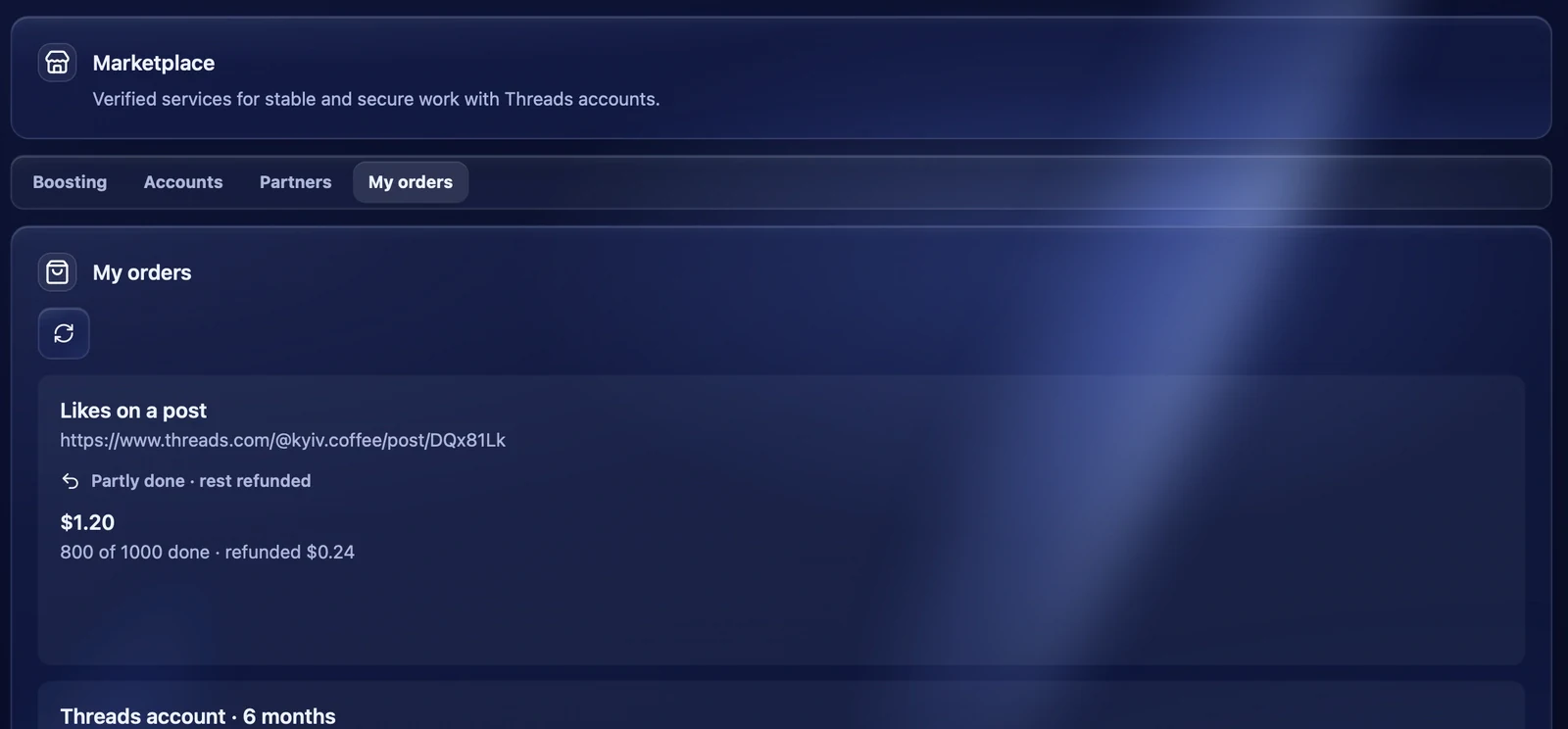
The "My orders" tab lists all your orders: what was ordered, for which link, the amount, the status and how much is done, for example "800 of 1000 done".
Order statuses:
- Awaiting payment — the Heleket invoice is not paid yet. "Pay invoice" opens it again;
- Paid · starting and In progress — the order is running;
- Completed — everything is delivered;
- Partly done · rest refunded — part was not delivered, and the money for it went back to the balance;
- Cancelled · refunded to balance — the order is cancelled, the whole amount is on the balance;
- Being checked — the order is checked by hand.
Recommendations
- Start with a small order to check the service.
- For noticeable posts choose services with a refill guarantee: if part of the likes or followers drops, it is restored for free.
- Links to fresh posts are easiest to take straight from a posting task.